New Computer Setup
We set up user accounts, install necessary software, link office devices and customize the system configuration to allow your workers to begin working on the computer.
Royal Care Technologies offers computer services for companies throughout the country. We install your desktop and laptop computers, fix software issues, speed up sluggish performance, and fix connectivity issues so that your staff members can get back to work.

Seek help with the chosen computer issue or schedule maintenance for several computers at once. Each computer is analyzed and the necessary services are discussed with you.
We set up user accounts, install necessary software, link office devices and customize the system configuration to allow your workers to begin working on the computer.
We analyze start-up applications, used disk space and background processes to find out what slows down the loading time and makes your computer freeze often.
We install compatible software, fix installation errors, analyze software crashes and eliminate any software issues that affect your productivity.
We fix issues with network connections, printers, and other office devices so your employees can use them without problems.
We analyze any suspicious activity, run malware scanning on the computer, eliminate all detected threats and analyze your security settings.
We transfer selected files from one computer to another, set up the backup location, and check that you have access to the transferred information.
We discuss the symptoms, describe the proposed job, and test the affected functions with you after completing the service.
Provide information about your computer model, operating system, symptoms, and error messages. We verify your needs and provide suitable assistance.
We check relevant software, system activity, settings, and connections. We explain our findings and discuss the changes your computer needs.
We carry out the approved setup, updates, cleanup, or troubleshooting. We discuss backup needs and any interruption to your work before proceeding.
We reopen affected applications and check the relevant connections or functions. We explain the changes and identify any further work your device needs.
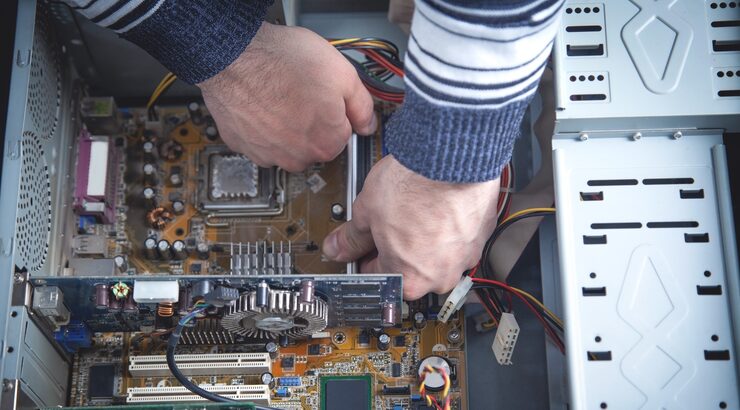
We look into the problems and deficiencies in the setup that do not allow your employees to use their software, access files, and perform daily duties.
We analyze software conflicts, startup processes, and system settings to resolve frequent problems by addressing their root cause.
We configure required applications, user access, and office connections, then check everyday tasks so your team faces fewer setup delays.
Share your printer models, office locations, and current printing issues. Royal Care Technologies will review your requirements and propose the next steps for setup, migration, or troubleshooting.
Find the answers to your questions related to computer installation, remote access support, data transfer, and maintenance.